
Pre-Built Power BI Dashboards for Dynamics 365 Business Central
Turn your Dynamics 365 Business Central data into clear, interactive, and decision-ready Power BI dashboards, without building every report from scratch.
Folio3 helps Business Central teams gain faster visibility into financial performance, sales, purchasing, inventory, receivables, payables, and operational KPIs. Start with pre-built reporting dashboards, tailor them to the way your business works, and give every decision-maker the information they need in one place.
Built for Business Central. Powered by Power BI. Configured by Folio3 experts.
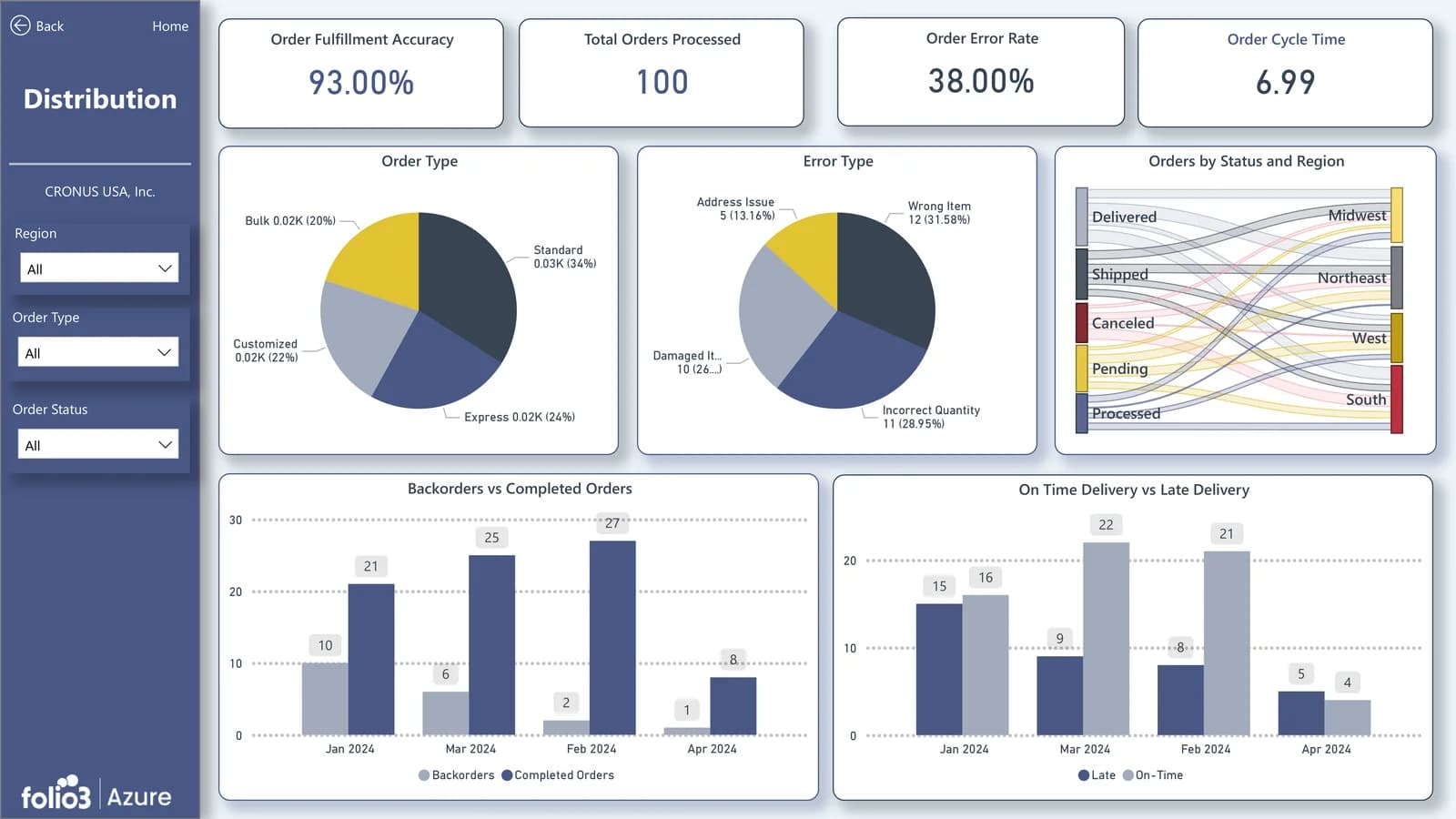
Make Business Central Reporting Easier to Use
Business Central holds critical financial and operational data, but turning it into clear, useful insight can still take too much time. Folio3’s pre-built Power BI dashboards for Dynamics 365 Business Central help finance, sales, purchasing, inventory, and leadership teams move beyond spreadsheet exports and manual report reconciliation to explore KPIs, monitor exceptions, identify trends, and drill into the numbers behind the results. Backed by Folio3’s Azure Data Analytics capabilities, the solution creates a more connected, decision-ready reporting experience without building every report from scratch.
Replace manual reporting with clearer business insight
- Reduce repetitive spreadsheet exports and manual consolidation.
- Create a consistent view of KPIs across finance and operations.
- Help decision-makers move from summary metrics to the underlying transactions.
- Track performance across companies, dimensions, departments, locations, customers, items, and periods where applicable.
- Give teams self-service access to the dashboards that matter to their role.
- Establish a more scalable foundation for Business Central reporting as your organization grows.
If your reporting requirements extend beyond standard Business Central data, Folio3 can also support the required data integration and ETL foundation.
Reporting Dashboards for Every Business Central Team
Start with pre-built Power BI dashboards for the Business Central areas that matter most—finance, sales, receivables, purchasing, inventory, and executive reporting. Folio3 configures each dashboard around your Business Central data, KPIs, dimensions, and user roles.
Our Power BI dashboard development team configures each Business Central dashboard around your reporting priorities, dimensions, and users.
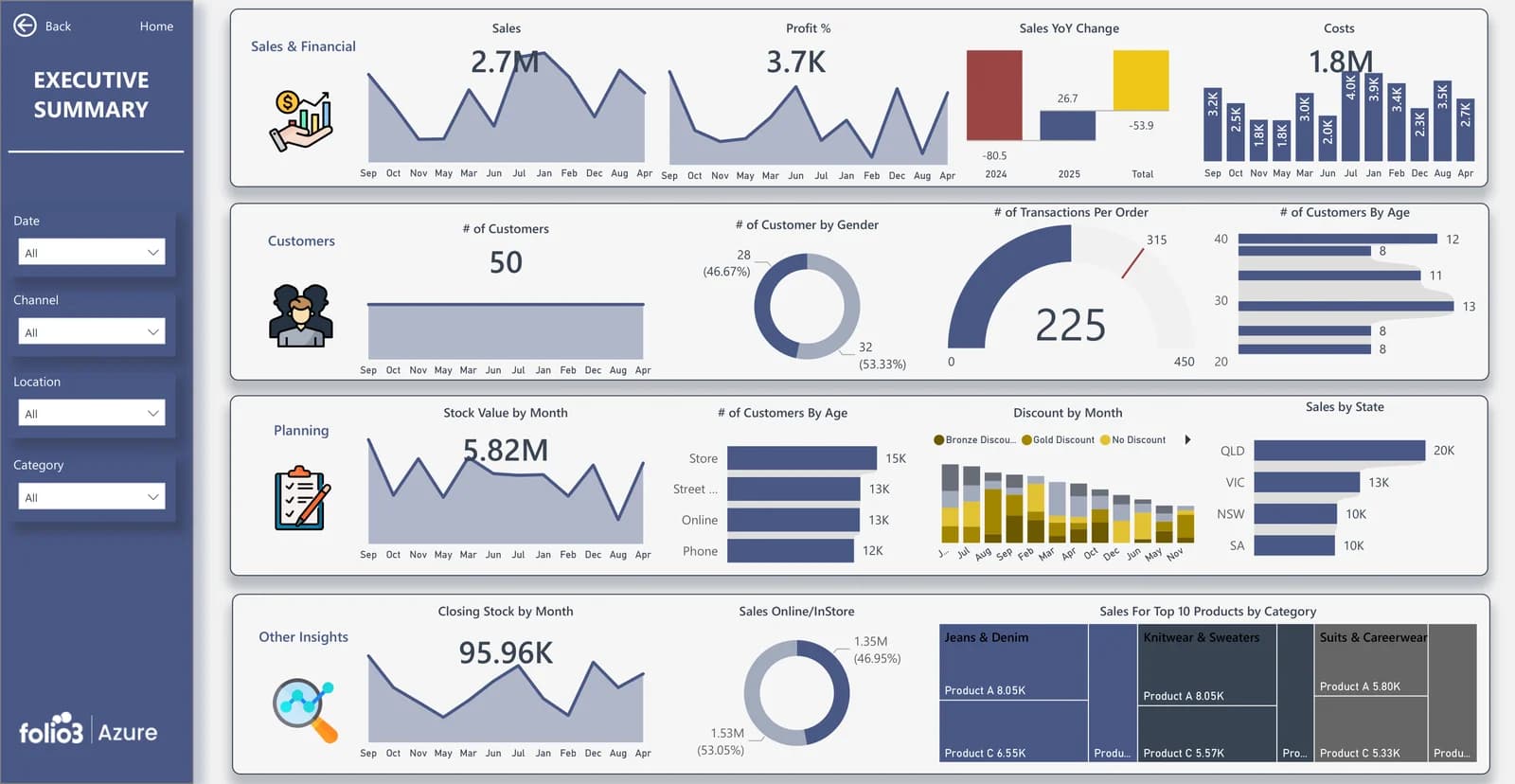
Executive Overview Dashboard
Give leadership a unified view of business performance without waiting for reports from multiple teams.
- Revenue & Profit
- Cash Position
- Budget Variance
- Top Customers
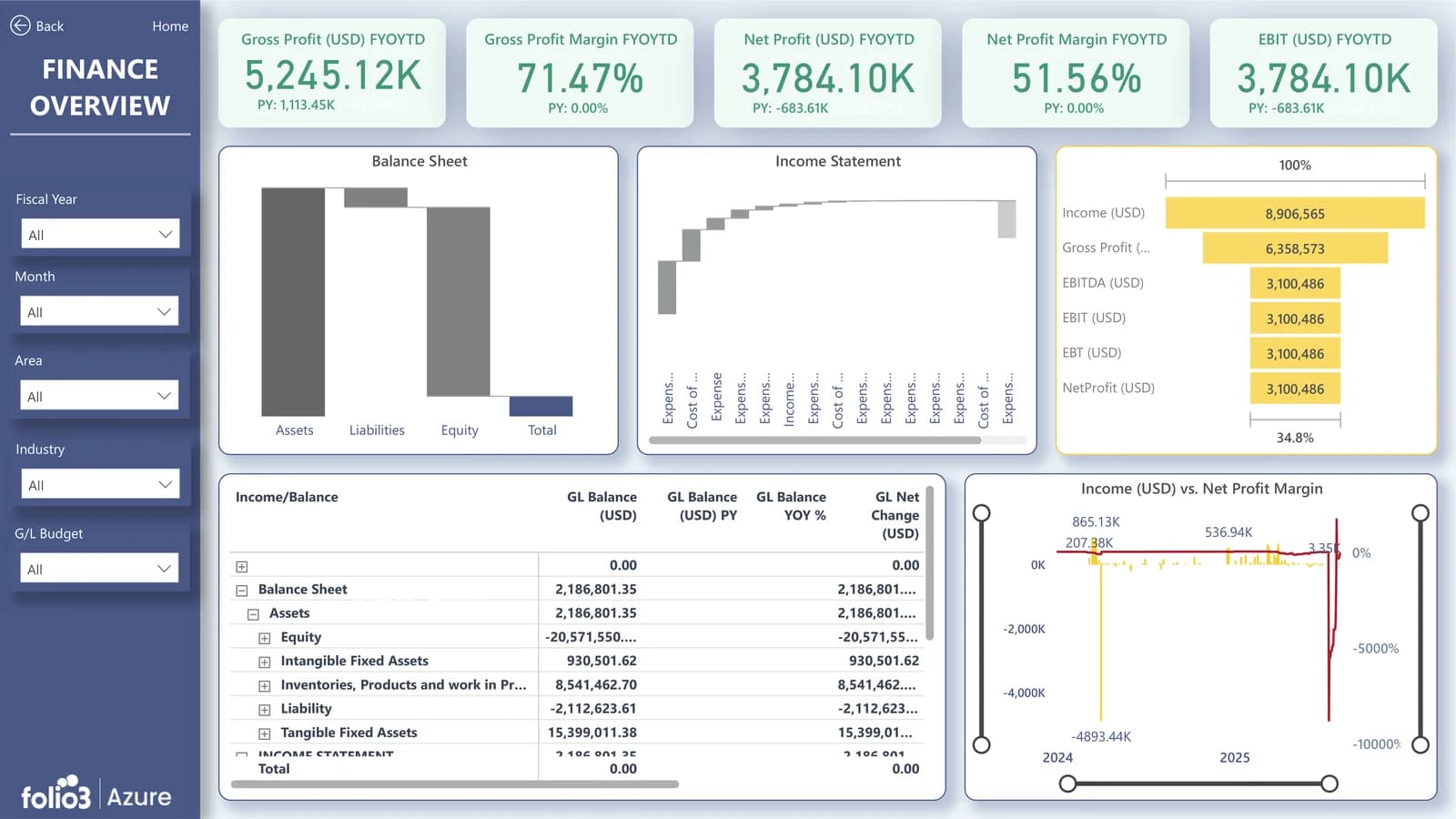
Finance Dashboard
Turn Business Central financial data into clear, interactive views of performance, profitability, cash flow, and variance.
- P&L Performance
- Budget vs. Actual
- Cash Flow
- Margin Trends
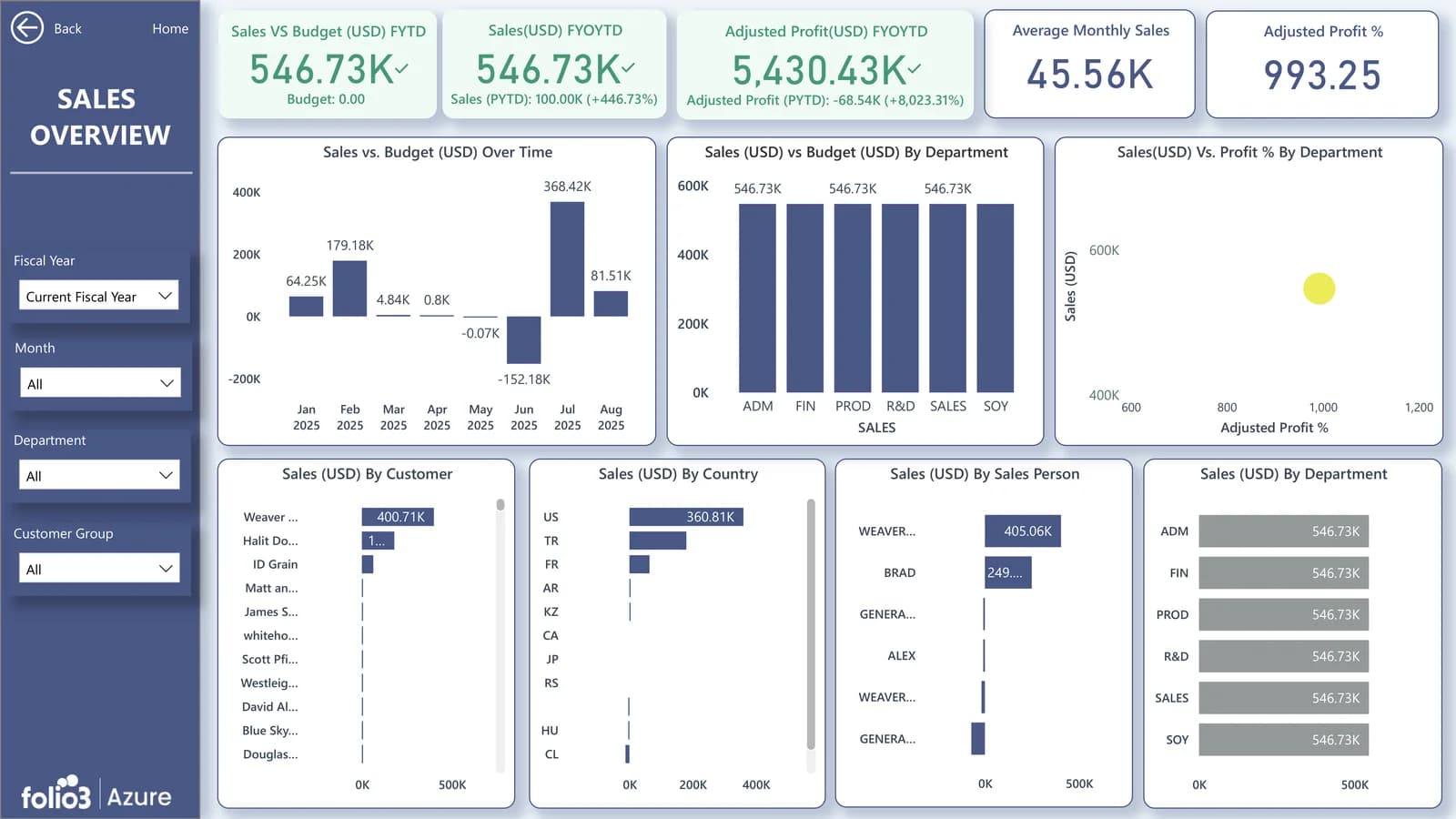
Sales and Customer Dashboard
Understand which customers, products, salespeople, and regions are influencing revenue and margin.
- Sales Trends
- Customer Profitability
- Top Products
- Salesperson Performance
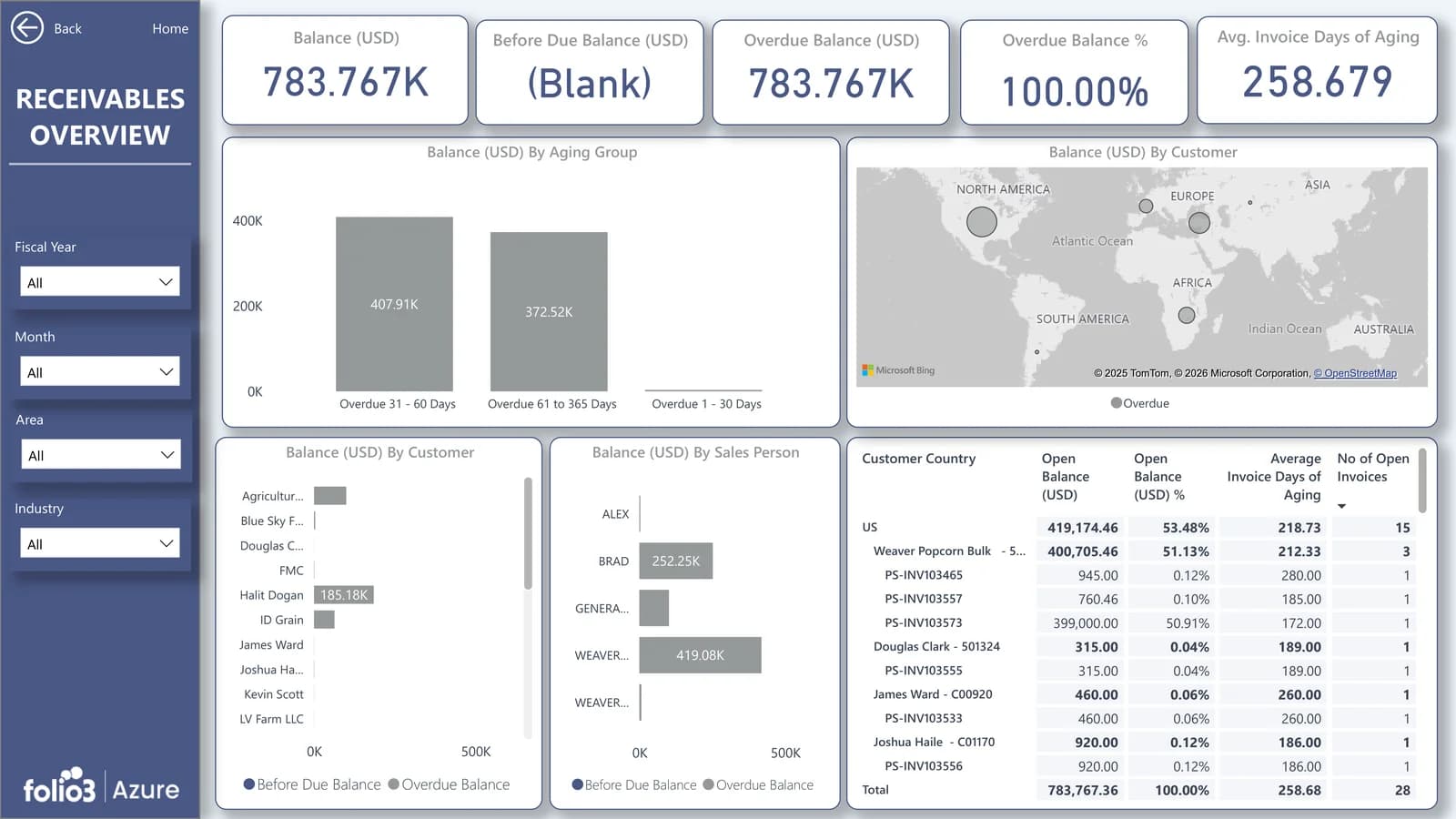
Accounts Receivable Dashboard
Help finance teams prioritize collections, monitor overdue balances, and identify cash-flow risk earlier.
- Outstanding Receivables
- Aging Analysis
- Overdue Invoices
- Collection Trends
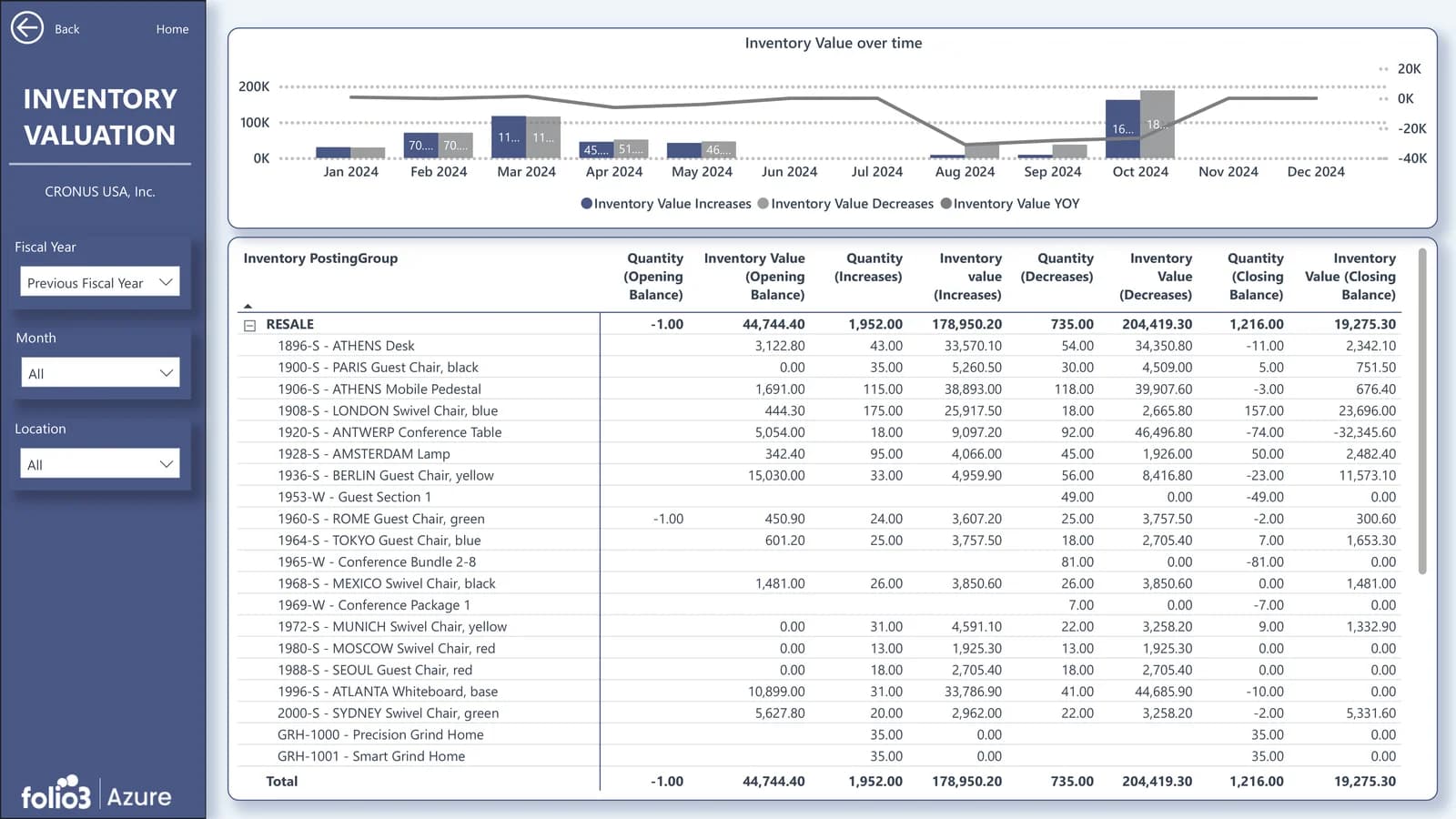
Inventory Dashboard
Track stock value, item movement, and inventory exposure to support stronger purchasing and working-capital decisions.
- Stock on Hand
- Inventory Value
- Slow-Moving Items
- Inventory Turnover
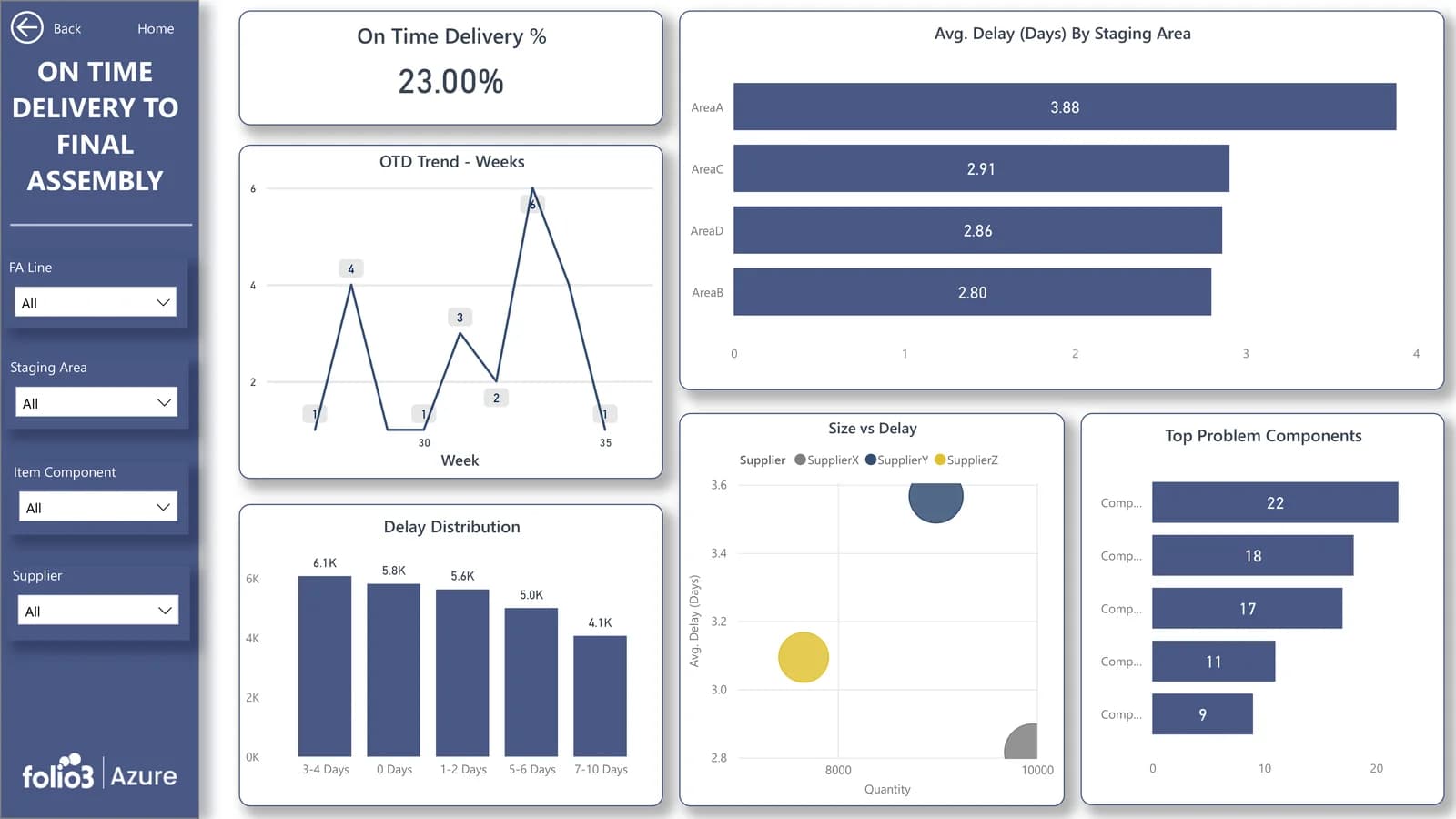
Purchasing Dashboard
Bring more visibility to purchase commitments, supplier spend, open orders, and procurement performance.
- Open Purchase Orders
- Vendor Spend
- Purchase Trends
- Supplier Performance
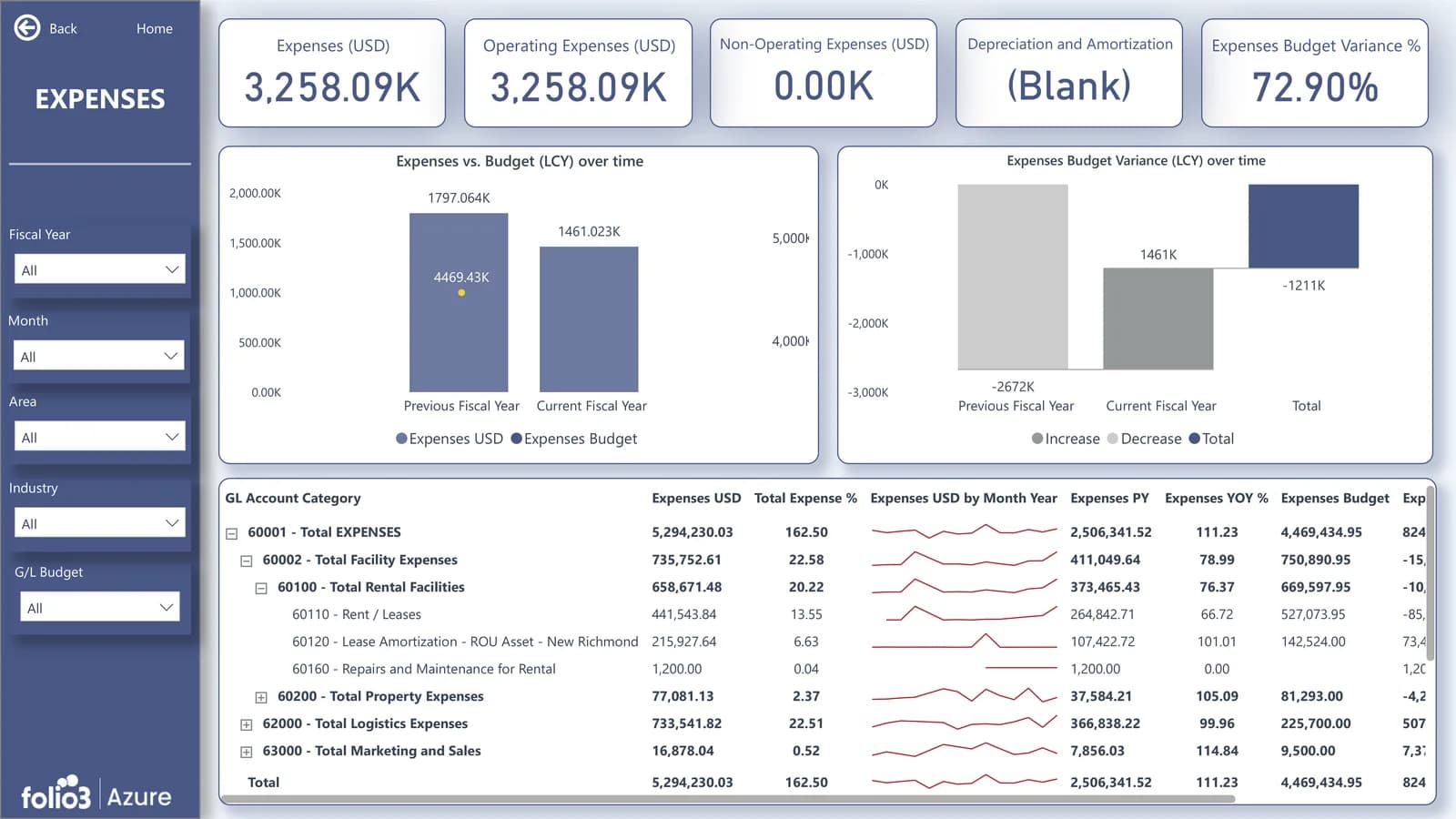
Dashboard visuals are illustrative. Folio3 configures reporting views around your Business Central data structure, KPIs, business dimensions, and user requirements.
Additional Reporting AreasExtend your Business Central reporting with additional dashboards based on the modules, data, and operational priorities relevant to your organization.
Accounts Payable Dashboard
Improve visibility into supplier commitments, upcoming payments, payable aging, and vendor exposure.
- Payables Aging
- Upcoming Payments
- Vendor Balances
- Open Purchase Invoices
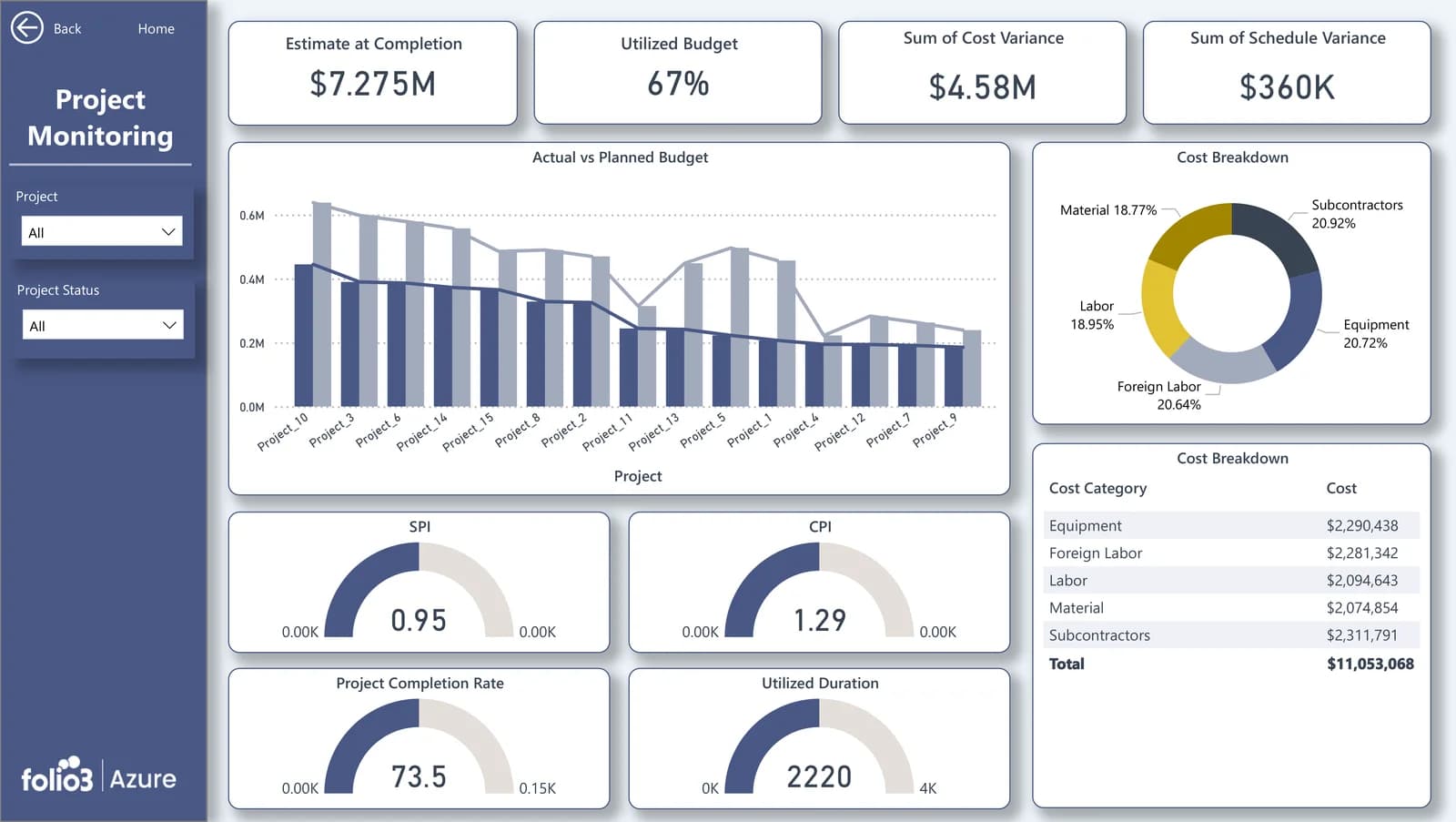
Project and Operational Dashboard
Extend reporting for organizations using Business Central projects, jobs, services, manufacturing, or other operational modules.
- Project Profitability
- Cost vs. Budget
- Work in Progress
- Operational KPIs
Additional dashboard areas are scoped based on your Business Central configuration, available data, and reporting requirements.
Start Pre-Built. Tailor What Matters.
Pre-built dashboards should accelerate your reporting journey—not force your organization to use a generic view of its business.
Folio3 starts with Dynamics 365 Business Central dashboards designed as a reporting foundation, then works with your team to align the reporting experience with your KPIs, reporting structure, and operational priorities.
- Choose the KPI tiles, visuals, and measures that matter to each team.
- Filter and analyze data by company, department, location, customer, vendor, item, project, or Business Central dimension.
- Configure date periods, comparison views, thresholds, and exception reporting.
- Apply organization-specific terminology, branding, and report layouts.
- Add new pages, measures, or reports as your reporting requirements evolve.
- Extend reporting with additional approved data sources where required.
The objective is simple: provide a faster route to useful reporting while preserving the flexibility your organization needs. Where reporting connects to automation, apps, or low-code extensions, Folio3's Microsoft Power Platform services can extend the solution.
From Business Central Data to Live Dashboards
Folio3 follows a structured approach to help you launch a reporting experience that aligns with your Business Central environment and reporting priorities.
- 01
Discover Your Reporting Priorities
- 02
Connect and Configure
- 03
Review, Refine, and Go Live
- 04
Improve as Your Needs Evolve
Discovery, architecture, and implementation are backed by Folio3's Azure consulting services.
See Your Business Central Data in Action
Give your finance, sales, purchasing, inventory, and leadership teams a clearer way to understand performance.
With Folio3's pre-built Power BI dashboards for Dynamics 365 Business Central, you can start with a practical reporting foundation, tailor it to your business, and help teams make better decisions with data they can actually use.
Built for Business Central and Power BI
Folio3's solution is designed to help Business Central organizations use Power BI in a more practical, scalable way.
Your reporting foundation can include
- Dynamics 365 Business Central data connectivity
- Power BI dashboard and report design
- Business Central finance, sales, purchasing, inventory, and operations reporting
- Role-based dashboard experiences
- Embedded reporting options where appropriate
- Scheduled data-refresh configuration based on the selected architecture
- Power BI workspace and sharing guidance
- KPI and data-model customization
- User training and dashboard adoption support
- Ongoing dashboard enhancement and managed reporting support
Power BI can be used to create reports and dashboards from Business Central data, publish datasets to the Power BI service, and share reporting experiences through workspaces.
Security and governance
Your reporting solution should provide insight without compromising governance. Folio3 can help define the appropriate approach for workspace access, report sharing, user roles, data refreshes, and security controls based on your environment and Microsoft licensing.
Where supported and required, dashboards can be designed around role-based access and row-level data visibility so users see the reporting data appropriate to their responsibilities.
Our approach can be aligned with your organization's governance, security, and compliance requirements for business-critical reporting data.
Talk to a Reporting ExpertWhat You Receive With Your Dashboard Implementation
Folio3 combines a pre-built Business Central reporting foundation with the implementation support needed to make dashboards relevant, usable, and ready for your teams.
Talk to a Reporting Expert- Business Central reporting discovery workshop
- Pre-built Power BI dashboard foundation
- KPI, dimension, and filter configuration
- Dashboard design review and refinement
- Business Central data connection guidance
- Power BI workspace and sharing guidance
- User enablement and dashboard adoption support
- Optional post-launch dashboard enhancement support
The final scope is aligned with your Business Central environment, selected dashboard areas, data availability, security requirements, and reporting priorities.
Why Use Folio3 Instead of Building from Scratch?
Building Business Central reporting internally can be valuable, but it often requires substantial time for data analysis, KPI definition, Power BI modeling, dashboard design, testing, publishing, governance, training, and maintenance.
Pre-built Power BI dashboards for Business Central from Folio3 provide a faster starting point with room to customize.
| Reporting approach | Time to first dashboard | Business Central relevance | Customization | Internal reporting effort | Ongoing support |
|---|---|---|---|---|---|
| Manual Excel reporting | Fast for a single report, slow to maintain | Depends on the report owner | Limited and manual | High | Internal team dependent |
| Build Power BI from scratch | Variable and often longer | Must be designed internally | High | High | Internal or external support needed |
| Generic dashboard templates | Faster initial setup | May require adaptation | Varies | Moderate | Often limited |
| Folio3 pre-built dashboard solution | Faster, structured starting point | Designed around Business Central reporting needs | Tailored to your KPI and operational requirements | Reduced | Available through Folio3 |
Why organizations choose Folio3
- Pre-built Business Central reporting foundation
- Power BI dashboard expertise
- Faster path from data to usable insight
- Tailored KPI and role-based views
- Support for finance and operational reporting needs
- Azure data and analytics expertise
- User enablement and post-launch enhancement options
- A consultative approach rather than a template-only handoff
After go-live, teams can extend their reporting environment through Folio3's Azure Managed Services support model.
Frequently Asked Questions
What are pre-built Power BI dashboards for Business Central?
Can Power BI connect to Dynamics 365 Business Central?
Which Business Central dashboard areas can Folio3 support?
Can the dashboards be customized?
Can I see multiple Business Central companies in one dashboard?
How often will Business Central dashboard data refresh?
Do we need Power BI licenses?
Learn more about Microsoft Cloud Solution Provider licensing with Folio3.
Can dashboards be embedded in Business Central?
How long does implementation take?
Does Folio3 provide support after launch?
Talk to an Azure engineer
Let's talk about your Azure project.
Schedule a 1:1 Business Central Dashboard Consultation
Tell us about your Dynamics 365 Business Central reporting needs, and our team will help you identify the right dashboard starting point.