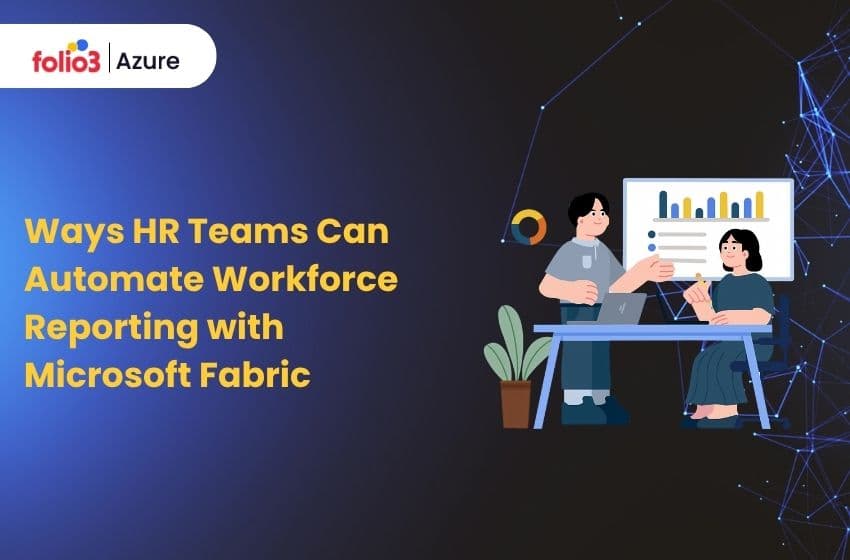
Workforce reporting has always been time-consuming. HR teams pull data from HRIS, payroll, time and attendance, and recruiting systems, reconcile it manually, build reports in spreadsheets, and repeat the cycle every week or month. The process is slow, error-prone, and heavily dependent on individuals who know where the data lives and how to make it agree with itself.
Microsoft Fabric changes the foundation of that problem. By unifying data storage, pipeline orchestration, transformation, analytics, and AI into a single governed platform, Fabric gives HR teams the infrastructure to replace manual reporting cycles with automated, always-current workforce intelligence. This post outlines ten practical ways to build that capability in 2026.
Why HR Reporting Needs a Better Foundation?

Before looking at specific automation methods, it is worth naming the structural problem they solve. Most HR reporting fails not because of the wrong BI tool, but because the data feeding into it is fragmented, inconsistent, and manually maintained.
HRIS data lives in one system. Payroll data lives in another. Recruiting data is in a third. Time and attendance may be in a fourth. Each system uses slightly different identifiers, naming conventions, and update frequencies. Producing a single reliable headcount report means touching all of them and doing it again every time the report needs refreshing.
Microsoft Fabric’s architecture addresses this at the platform level: a single data environment where all HR data lands, is governed centrally, and is available to every downstream workload Power BI, Copilot, Data Activator without duplication or manual assembly.
1. Centralize HR Data in OneLake for a Single Source of Truth
OneLake is Fabric’s unified data storage layer a single location where data from every HR source lands and is governed from one place. Rather than maintaining separate data copies across systems, OneLake makes the same data available to every Fabric workload simultaneously.
For HR, this means HRIS, payroll, time and attendance, ATS, and benefits data are all stored in one governed environment. Headcount, payroll, and position data become consistently accurate across reports.
Lineage and access policies make audit trails straightforward. And the reconciliation cycles that currently consume analyst time matching numbers between HR, Finance, and Operations become unnecessary because everyone draws from the same source.
The shift from fragmented data copies to OneLake centralization is the prerequisite for every other automation method on this list. Without it, automated pipelines and AI analytics are built on inconsistent foundations that undermine their outputs.
2. Automate HR Data Ingestion with Data Factory Pipelines
Once data is centralized in OneLake, the next step is eliminating the manual effort of getting it there. Data Factory in Microsoft Fabric provides the pipeline orchestration layer, automating extraction, loading, and incremental refresh from every HR source system on a schedule or event-driven basis.
Common HR sources to automate include HRIS for employee, position, and org data; payroll systems for earnings, deductions, and tax data; time and attendance platforms for shifts, overtime, and leave; ATS systems for open requisitions, candidate stages, and hiring outcomes; and learning and benefits platforms.
A practical example: when a new hire is approved in the ATS, a webhook triggers a Data Factory pipeline that extracts candidate and requisition data, loads raw records into OneLake, merges changes into curated employee dimensions, and refreshes downstream Power BI datasets, all without anyone pulling an export or running a manual update.
What previously took hours of data preparation happens automatically, and stakeholders see current data within minutes of a change occurring upstream.
3. Standardize Workforce Data with Dataflow Gen2
Automated ingestion brings data in. Dataflow Gen2 makes it consistent. Raw HR data almost always arrives with the kind of inconsistencies that break reporting job titles formatted six different ways, location fields using city abbreviations that vary by system, and employment types mixing full-text and shorthand. Without standardization, these inconsistencies cascade into every report downstream.
Dataflow Gen2 provides a low-code, version-controlled transformation layer inside Fabric where standardization logic is defined once and applied consistently to every data load. Job titles are normalized to canonical forms.
Location fields are converted to a consistent country-state-city structure. Manager IDs are validated against active employee records. Employment types are unified across source systems.
The result is that Power BI reports, Copilot queries, and attrition analytics all operate on data that agrees with itself, not on raw fields that require analyst judgment to interpret correctly.
4. Build a Governed HR Lakehouse and Data Warehouse
With clean, consolidated data in OneLake, the next layer is establishing the governed storage structure that supports both operational reporting and advanced analytics. Microsoft Fabric’s Lakehouse and Warehouse serve different but complementary purposes for HR.
The Lakehouse handles diverse HR data types structured records alongside semi-structured files and supports the AI and machine learning workloads that underpin attrition prediction, skills analytics, and workforce planning models.
The Data Warehouse handles the structured, SQL-based reporting layer: conformed dimensions for employee, organization, role, and time, alongside facts for headcount snapshots, payroll, recruiting funnels, leave, and learning completion.
Governance is enforced at this layer through role-based access controls HRBPs see their business unit data, Finance sees headcount and payroll aggregates, Compliance sees policy exception reports with sensitivity labels and data lineage tracking ensuring that every dataset has a clear, auditable path back to its source.
IntelliFabric provides a pre-built implementation of this governed Lakehouse and Warehouse structure, accelerating the time to production for HR teams that need this foundation in place quickly.
5. Deliver Role-Based Insights with Power BI Templates and Paginated Reports
With governed data in place, Power BI on Microsoft Fabric becomes the primary delivery layer for workforce reporting across the organization. The key is deploying role-specific templates rather than generic dashboards, so that each audience sees the metrics relevant to their decisions, presented at the right level of detail.
HR leadership needs headcount movement, attrition trends, diversity metrics, and open position summaries. Hiring managers need recruiting funnel status, time-to-fill, and offer acceptance rates. Finance needs headcount versus plan and payroll cost by cost center. Compliance teams need training completion, policy exceptions, and certification expiry tracking.
Paginated reports handle the pixel-perfect, export-grade outputs that HR teams still need for board packs, regulatory submissions, and payroll reconciliations, structured, printable, and aligned to specific reporting periods. Scheduled refreshes aligned to payroll cycles and HR operational cadences ensure that every report stays current without manual intervention.
6. Accelerate Reporting Performance with Result-Set Caching
As Power BI adoption grows across the HR function, query volume increases, and report load times can degrade particularly for complex headcount and payroll queries running against large datasets. Result-set caching in Fabric’s SQL Analytics endpoint addresses this by storing the output of frequently run queries so that repeat executions return instantly from cache rather than re-querying the underlying data.
The practical impact for HR reporting is significant. A monthly headcount summary that previously took several seconds to load can be served from cache in milliseconds for every subsequent user. A weekly recruiting funnel dashboard used by fifty hiring managers does not re-execute its query fifty times it executes once and serves the cached result to each.
Tuning the MaxAge parameter which controls how long cached results are considered fresh allows HR teams to balance speed against data recency. Payroll-close reports benefit from a tighter freshness window. Executive summary dashboards that run on weekly data can tolerate a longer cache window without any loss of accuracy.
7. Improve Query Performance with Incremental Statistics Refresh
Large HR datasets payroll transaction histories, time and attendance logs, multi-year attrition records grow continuously. Without query optimization, the time required to analyze these datasets increases as they grow, slowing the daily reports and ad hoc queries that HR teams depend on.
Incremental statistics refresh updates only the newly added rows in append-heavy tables rather than re-scanning the entire dataset. For an attrition analytics model that adds a month of data each cycle, this means the query planner updates its understanding of the data distribution based on recent changes only dramatically faster than a full statistics rebuild.
Session reuse compounds this benefit: repeated queries against the same tables within a reporting session reuse an already-initialized Spark session rather than spinning up compute from scratch. For HR teams running multiple report previews during a monthly close, this reduces wait times from minutes to seconds.
8. Trigger Automated Alerts with Data Activator
Reporting tells HR what happened. Data Activator makes HR proactive about what is happening. Azure Fabric’s Data Activator monitors live data conditions across Fabric and fires automated actions Teams notifications, Power Automate workflows, and email alerts the moment a defined threshold is crossed.
For HR, the use cases are immediate. Headcount drifting beyond plan by more than a defined percentage automatically alerts the HRBP and Finance. Overdue training completions trigger notifications to managers with a list of affected employees.
Open requisitions exceeding their approved time-to-fill threshold automatically surface to Talent Acquisition leadership. Overtime hours crossing a threshold flag to the relevant operations manager before they become a payroll compliance issue.
The shift from manual monitoring to automated alerting means HR teams respond to conditions as they develop rather than discovering them in the next reporting cycle. Compliance risk decreases. Analyst time spent on routine exception monitoring is redirected to higher-value work.
9. Enable Natural Language Reporting with Copilot
Copilot in Microsoft Fabric brings natural language querying to the workforce reporting layer allowing HR professionals to ask questions of their data without writing DAX, building queries, or waiting for an analyst to produce a custom report.
A talent acquisition partner can ask “show me time-to-fill by department for the last quarter” and receive a chart drawn directly from the governed dataset in OneLake. An HRBP can ask, “Summarize overtime trends for the operations business unit this month” and get a narrative summary alongside the supporting data. An HR director can ask “which locations have attrition above 15% in the last six months” without opening a pivot table.
Microsoft Copilot’s capabilities across the Microsoft 365 ecosystem extend this further. HR leaders can interact with workforce data in Teams meetings, Excel, and SharePoint using the same natural language interface, making self-service analytics accessible to everyone in the function regardless of their technical background. For HR teams looking to go further, streamlining the recruitment process using Copilot is one of the highest-impact starting points.
10. Embed HR Reports in Teams and SharePoint for Self-Service Distribution
Automation delivers its full value only when insights reach the people who need them, where they already work. Embedding Power BI reports in Microsoft Teams channels and SharePoint sites removes the friction of navigating to a separate analytics environment and puts workforce data into the operational context where decisions are made.
Hiring managers see live recruiting dashboards in their team’s Teams channel alongside conversations about open roles. Compliance and training completion tracking lives in the SharePoint site that managers already use for policy documentation. Onboarding dashboards for new-hire cohorts are accessible in the Teams channels where onboarding coordination happens.
Integrating Power BI within Microsoft Fabric and embedding it in Microsoft 365 applications maintains all the governance controls configured upstream row-level security, sensitivity labels, and access policies carry through to the embedded report, so each user sees only the data their role permits, without any additional configuration.
Conclusion
The ten methods above form a logical progression from centralizing data in OneLake to delivering live, Copilot-enabled insights in Teams and SharePoint. Each step compounds the value of the previous ones, and together they replace the manual reporting cycle that consumes most HR data time today.
Folio3 Azure helps HR and people analytics teams deploy this full stack on Microsoft Fabric. Explore IntelliFabric, our Microsoft Fabric services, and our end-to-end BI solution, or contact our team to discuss your workforce reporting architecture.