It is the end of a long shift and the line is still running. The supervisor has one more job before going home: write down what happened so the next crew does not have to guess.
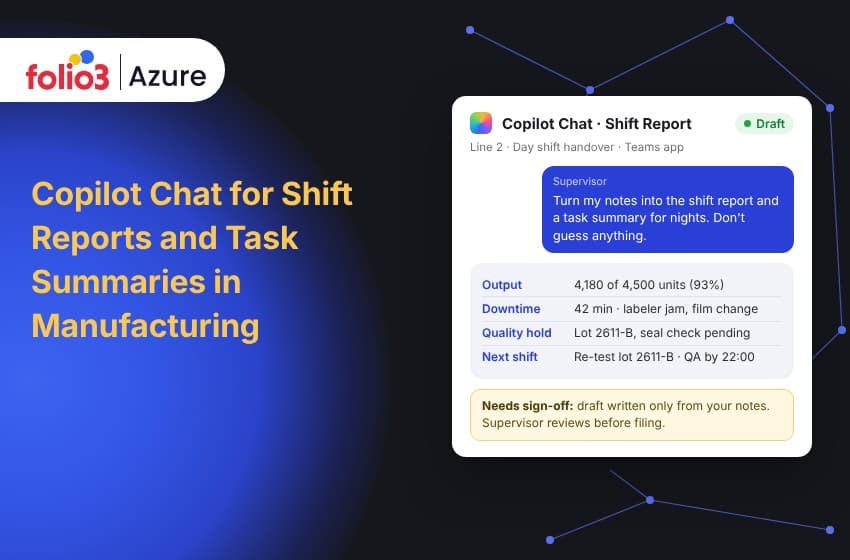
That report is where information gets lost. A machine quirk goes unmentioned. A quality hold lives only in someone's head. Microsoft Copilot Chat can help with the writing: give it a few notes and it drafts the report and a short task summary. Microsoft lists drafting a shift summary as the first scenario in its manufacturing guide for plant employees, and the benefit it names is time saved on shift turnovers.
There is one catch, and it shapes the rest of this post. Copilot Chat works from what you give it. Microsoft's documentation describes it as primarily web grounded, so it sees your plant's information only when someone pastes it in, uploads a file or uses an agent connected to that content.
The short answer: use Copilot Chat when the operator can supply the facts. Use a Copilot Studio agent when the report has to pull downtime, counts and open work orders from plant systems. Either way, a supervisor reads the draft before it is filed.
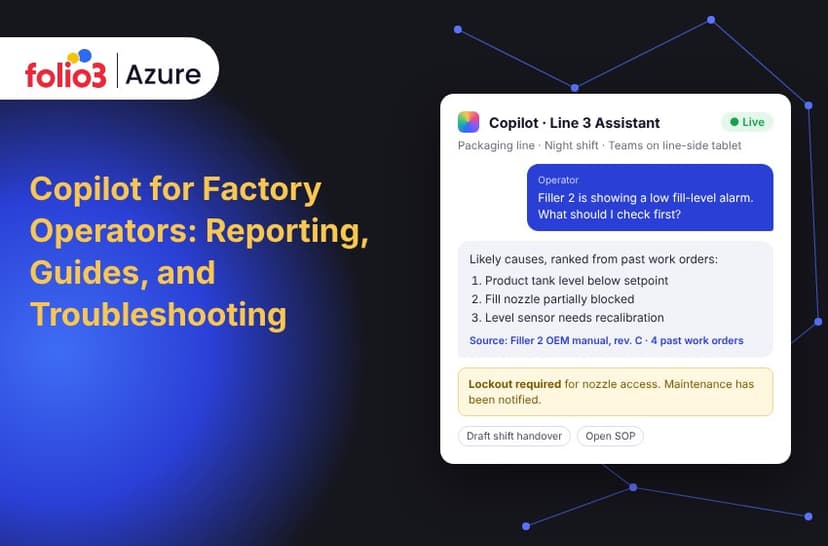
If you want the wider picture of Copilot across an operator's day, including work instructions and troubleshooting, start with Folio3's guide to Copilot for factory operators.
Why the handover deserves a better report
Shift handover is a recognized safety-critical moment, not just paperwork. The UK Health and Safety Executive lists missing, unnecessary and inaccurate information, and failure to carry information forward across shifts as the ways handover communication goes wrong. It also advises relying more on written communication when crews work 12-hour shifts.
The numbers behind that concern come with caveats. One oil and gas company found that start-up, shutdown and changeover periods took under 5% of staff time but accounted for 40% of plant incidents, and a literature review found 80% of oil and gas production logbooks were unstructured, according to EHS Today. Both figures come from oil and gas, so read them as a warning, not a manufacturing benchmark.
So what should a good report carry? Our suggestion, built on the HSE advice to specify the key information up front, is five things:
- Output against plan, in numbers.
- Downtime, with minutes and a reason for each stop.
- Quality holds and defects, with lot references.
- Open safety and maintenance items.
- Actions the next shift owns, each with an owner and a deadline.
What Copilot Chat does well
Copilot Chat tidies up what the operator already knows. Microsoft says it can generate and rewrite content, analyze uploaded files and documents, and interact with agents. In a plant, that means four everyday jobs:
- A shift report from a few brief notes.
- A task summary, which here means a list of open tasks with an owner, a status and what the next shift must do about each.
- An incident write-up that is clear and complete.
- A plain-language rewrite of a procedure that is hard to follow.
These follow the steps in Microsoft's plant-employee scenario. For more manufacturing ideas beyond reports, such as quality control monitoring, supply chain risk detection and equipment maintenance scheduling, browse Folio3's Copilot Agent Library.
Which Copilot do you actually need?
The three options differ in what they can read, not in how well they write. So ask where the facts for your report live.
- Copilot Chat works from the web, the content you give it and supported app context. It suits reports written from the operator's own notes. Per Microsoft's comparison, it does not have the broad Graph API, Work IQ and semantic indexing grounding of the licensed experience.
- Microsoft 365 Copilot is the licensed experience. It can reason across emails, meetings, chats and documents the user can already access, so it suits reports that should draw on Teams conversations. Microsoft now labels it Microsoft Copilot, and shows Microsoft 365 Copilot (Premium or Pro) inside apps, so you may see either name.
- A Copilot Studio agent is built around your systems. Microsoft's scenario page notes that agents let Copilot access organization-specific apps, which is what you need when the report must include counts, downtime and work orders. Copilot Studio is part of Microsoft Power Platform, and Folio3's Power Platform services team handles agent builds and the integrations behind them.
Most plants start with Chat, learn what operators actually ask for, and add an agent where the manual copying hurts. Licensing and agent billing terms have changed since Copilot Chat launched, so confirm current terms with Microsoft or a Cloud Solution Provider before you budget.
Keeping it safe
AI writes the draft and people own the record. The HSE guidance says good handovers are face-to-face and two-way, using both verbal and written communication, so a Copilot draft supports the conversation between shifts and does not replace it.
A few habits keep the pilot safe:
- Use work accounts. Microsoft says Copilot Chat includes enterprise data protection for eligible work and school accounts and only reaches content the user is already authorized to see.
- Agree what operators may paste. Lot numbers and machine IDs, yes. Personal data and customer names, no. That rule is our recommendation, not Microsoft's.
- Keep the original notes next to the draft, and name the supervisor who signs off.
- Keep safety-critical steps in controlled documents. Lockout and tagout steps and permits should never come from a chat draft.
Deciding which documents an assistant or agent can read, and who owns them, is the heart of data governance for AI. It is far easier to settle before rollout than after.
When the report needs plant data
The moment a report needs production counts, alarms or open work orders, Copilot Chat alone stops being enough, because that information lives in your MES, ERP and maintenance systems. Without a connection, the operator retypes it, and the report is only as reliable as the typing.
The fix is a connected agent on top of clean data. A summary built on inconsistent downtime codes reads confidently and is wrong, so the data comes first. That is where Folio3's manufacturing data analytics work fits: it consolidates ERP, IoT sensor, legacy machine and supply chain data into one source of truth and brings MES, SCADA, ERP and IoT systems into Power BI. Reports written by Copilot can then quote the same numbers the plant manager sees on the dashboard.
How to tell if it is working
Measure your own baseline before the pilot. Vendors publish figures for minutes saved per handover, but we have not verified them and they come from different plants, so the only number worth putting in a business case is yours.
Three checks are enough to start. Time ten reports across all shifts, then time them again during the pilot, counting the supervisor's review as part of the new time. Have a supervisor audit twenty reports for how many of the five parts are filled in. And tally the items found open at shift start that the report did not list. Report figures should also match the plant dashboard, which is easier when production data lands in one governed place, as described in Folio3's guide to production data reporting on Microsoft Fabric.
On the shop floor
A prompt that works at a desk can stumble at the line. Decide whether your crews will use the web app, the mobile app or the Teams app, which Microsoft's scenario page points plant employees to, and train on that one. Have each operator sign in with their own work account on shared devices. Test dictation with gloves and real noise, test notes in the languages your crews write in, and check Wi-Fi at each station. Microsoft also notes that Copilot Chat has standard access, which depends on service capacity, so keep a fallback form for the rare slow moment.
If devices, connectivity or secure remote access are the blocker, Folio3's Azure for manufacturing practice covers Azure IoT Hub and Industrial IoT for connecting machines, and Azure Virtual Desktop for secure access for frontline workers.
Start with one line and one shift
Folio3 is a Microsoft Solutions Partner and a Microsoft CSP partner, so one team can help at each step of this journey:
- Pick the use case: Copilot Use Case Identification and Copilot Strategy and Planning.
- Check you are ready: Copilot Readiness Assessment, covering infrastructure, data quality, data security and governance.
- Connect plant systems: Custom Copilot Solutions and Copilot Implementation and Integration.
- Get the licenses right: Copilot Licensing and Access Management.
- Keep it governed and improving: Copilot Governance and Compliance, and Ongoing Support and Optimization.
If your supervisors still rebuild the shift report by hand, start small with the five-part template from this post. Talk to the team about Microsoft Copilot consulting and scope a pilot around the reports that cost your plant the most time today.
Key takeaways
- Copilot Chat turns operator notes into a shift report and task summary, and a supervisor still signs off.
- It sees only what you give it, so plant data needs a connected agent.
- A template prompt that forbids guessing gives consistent reports.
- Measure your own baseline before you claim time saved.
Frequently asked questions
Can Copilot Chat write shift reports?
Yes. The operator gives Copilot Chat a few notes and it drafts a structured report, which Microsoft lists as the first step in its manufacturing scenario for plant employees. It writes only from what it is given, so a supervisor should review the draft.
Does Copilot Chat have access to my plant data?
Not by default. Microsoft describes Copilot Chat as primarily web grounded, with organizational content available only when users paste it, upload files, reference supported files or use agents with access. Data in MES, ERP or CMMS systems needs a connected agent.
What is the difference between Copilot Chat and Microsoft 365 Copilot?
Copilot Chat works from the notes the operator provides. The licensed Microsoft 365 Copilot experience can also reason across emails, meetings, chats and documents the user can access, using Graph API, Work IQ and semantic indexing, according to Microsoft's comparison table.
Is it safe to put production data into Copilot Chat?
Microsoft says Copilot Chat includes enterprise data protection for eligible work and school accounts and only accesses content users are already authorized to see. Safety still depends on your own rules: work accounts, a paste policy and supervisor sign-off.
When do I need a Copilot Studio agent?
Build an agent when the report must include counts, downtime minutes or open work orders from plant systems, or when you need role-based access to SOPs and logs. For reports written from operator notes alone, Copilot Chat is usually enough to start.